Companion for BisTrack — Delivery Tracking & Proof of Delivery

Convoy

BisTrack already knows which loads go out today. Convoy sends them to Samsara as routes, follows the truck, writes the arrivals and departures back into the journey, tells your customer where their delivery is, and files the driver's photograph against the order.

🚚 Live truck tracking 🔗 Samsara 📧 Customer notifications 📷 Proof of delivery â†Šī¸ Writes back to BisTrack
How it works

From a BisTrack journey to a photograph on the order.

Convoy doesn't replace your telematics and it doesn't replace BisTrack — it is the layer between them. The journey your dispatcher already built goes out to Samsara as a route, and everything that happens on the road comes back as a stamped arrival, a notified customer, and a filed photograph. Like every Companion, it starts in shadow mode: watching and recording, writing nothing, until you've seen it get a few real deliveries right.

1 The board

Every load, every branch, one screen.

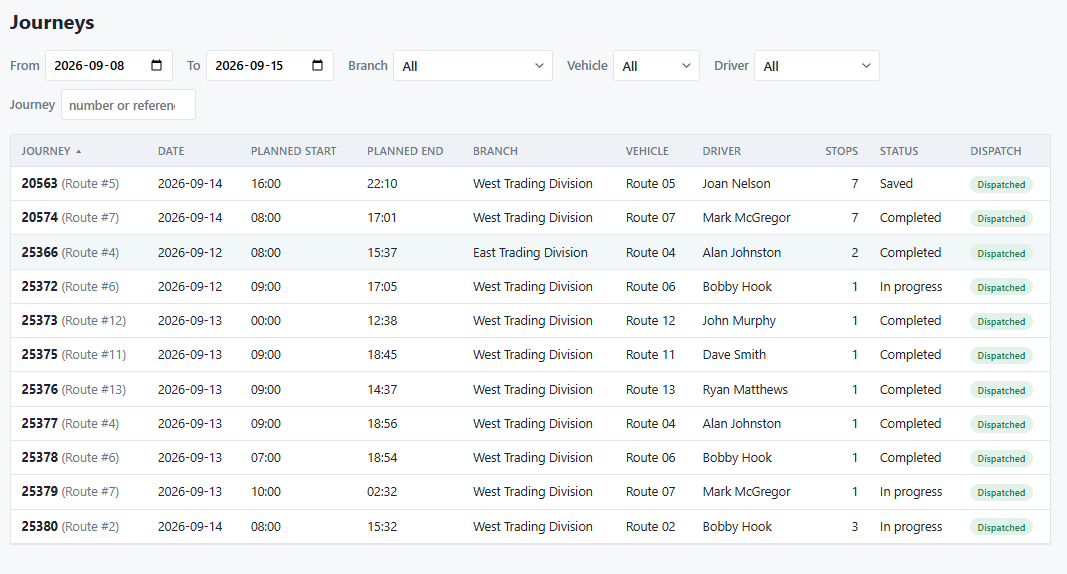
Convoy reads journeys straight out of BisTrack — the date, the branch, the vehicle, the driver, the stop count and the planned window. Nothing is re-keyed and nothing is kept in a second place.

Each row also carries its dispatch state, so a dispatcher can see at a glance which journeys have reached the telematics provider and which are still sitting. Users only see the branches they're assigned to.
Live from BisTrack Branch scoped Dispatch state visible
The Convoy journeys board, listing BisTrack journeys with vehicle, driver, stop count, status and dispatch state
2 On the road

Where the truck is, and which stop it's on.

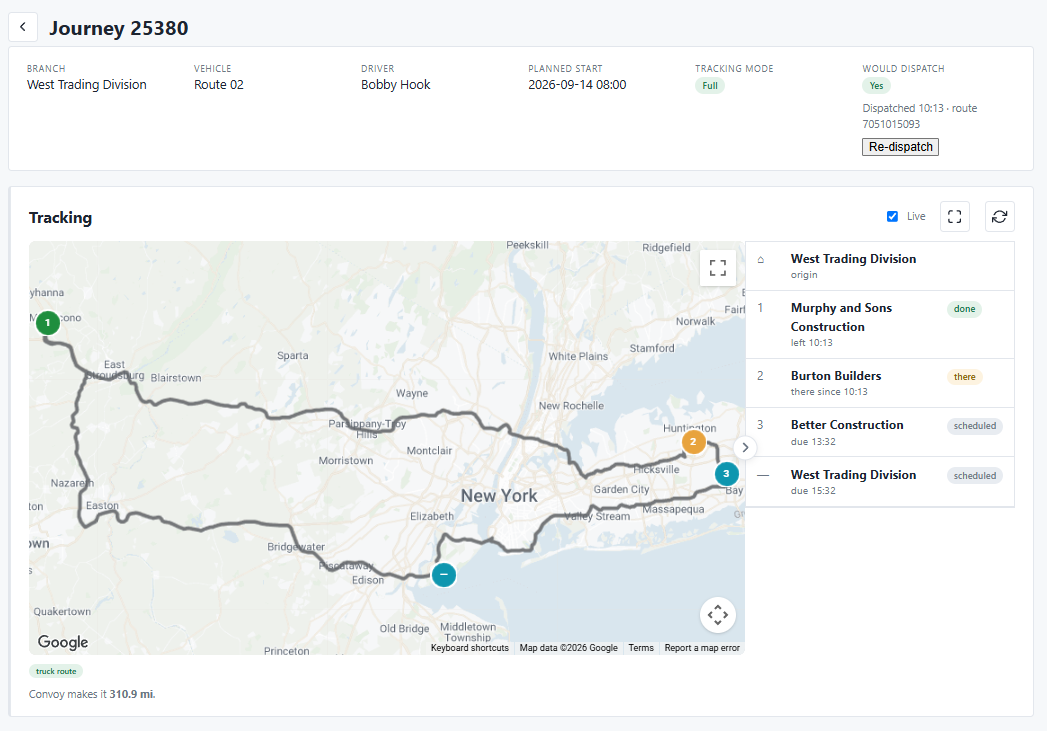
Once a journey is dispatched, Samsara owns the driving and Convoy owns the picture. The map shows the route and the vehicle's live position; the list beside it shows each stop as done, there or scheduled, with the time it actually left and the time it's now due.

Where your vehicle profile carries a height or a weight, Convoy routes with Google's Large Vehicle Routing so the line on the map avoids roads a truck can't legally use. Where it doesn't, the card says so rather than quietly showing you a car route.
Live position Stop-level state Truck routing
A Convoy journey showing the route on a map, the vehicle's position, and each stop marked done, there or scheduled
3 The phone call you don't get

Your customer can see it coming.

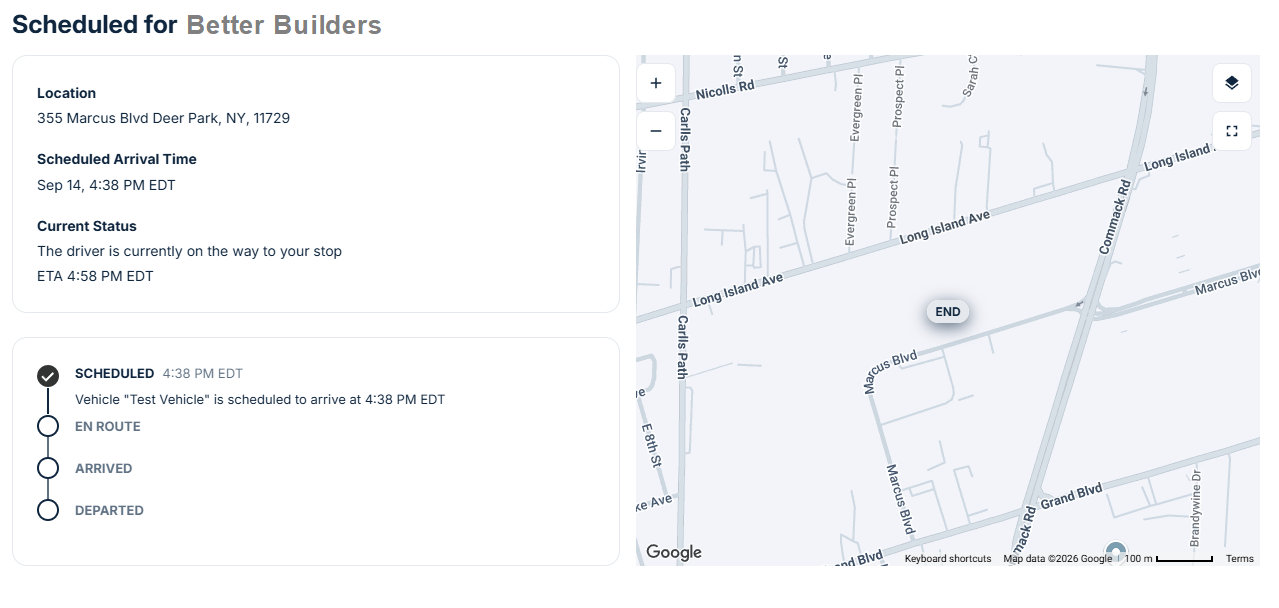
Every stop gets its own tracking page. The customer sees their scheduled window, the driver's current status, a live ETA and a map — and nothing else about your day. No login, no account, no view of anyone else's delivery.

It's the same page from the moment the load is scheduled through to departure, so "where is my order" answers itself.
Per-stop link Live ETA No login
The customer-facing tracking page, showing the scheduled arrival time, current driver status, live ETA and a map
4 Telling them

Delivered — here's the photograph.

Notifications are built from your own templates, with tokens for the order, the customer, the journey, the branch, the driver and the tracking link. Send on dispatch, on the way, on arrival, on delivery, or on whichever of those you actually want.

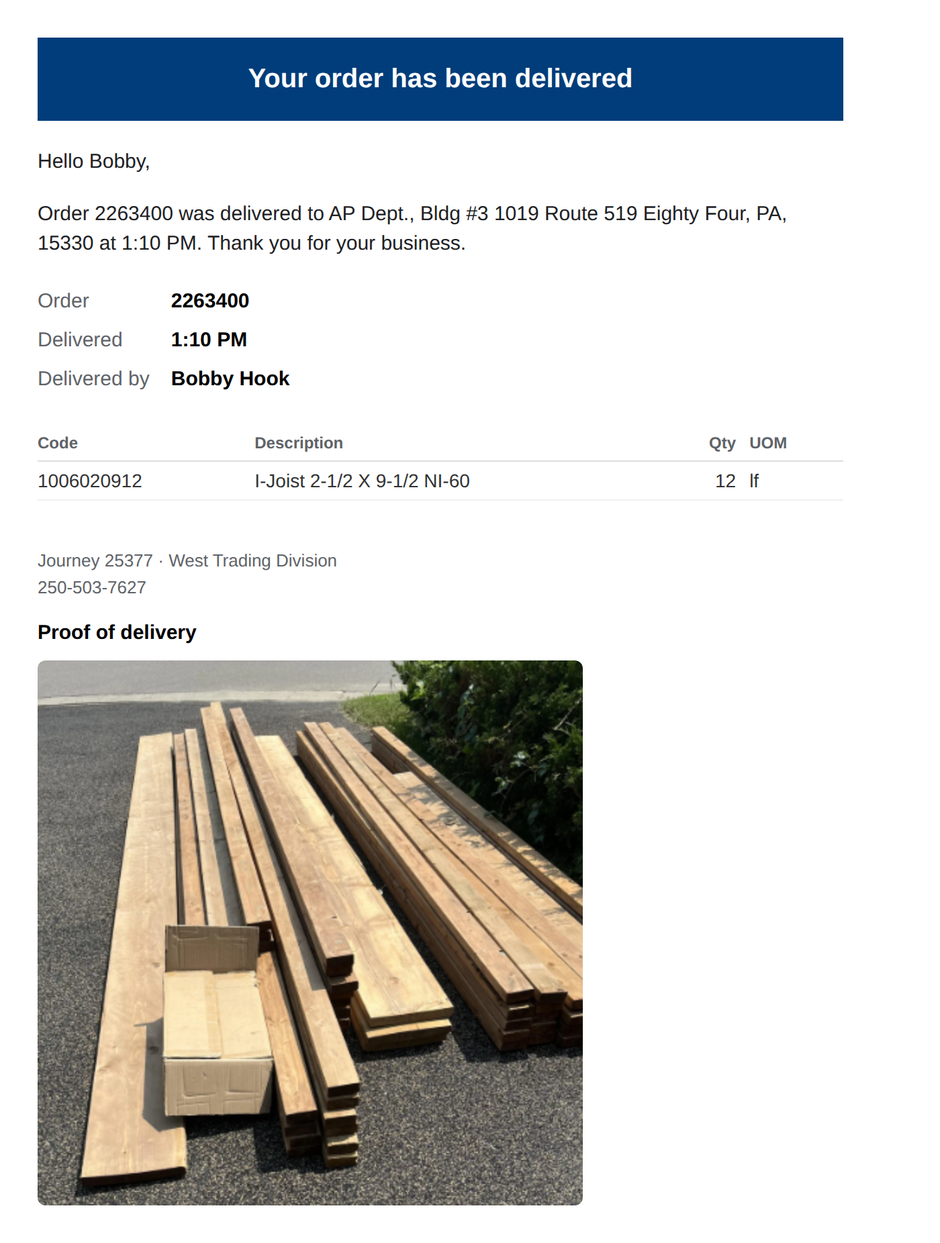
Where the driver photographed the drop, the photograph rides along with the message. A customer who can see their lumber stacked on their own driveway doesn't ring the branch to ask whether it arrived.
Your templates Order lines included Photograph attached
A delivery confirmation email showing the order, the delivery time, the ordered lines and the driver's proof-of-delivery photograph
5 The paperwork

The photograph ends up where you'd look for it.

Convoy files each delivery photograph into BisTrack's own document store against the sales order, using BisTrack's own filing procedure — same document types, same folders, same approval, same numbering as anything your staff scans.

So it turns up on the order in BisTrack, next to the delivery note and the stock receipt, for whoever pulls the order up six months later during a dispute. Where the driver's phone recorded coordinates, those are filed with it.
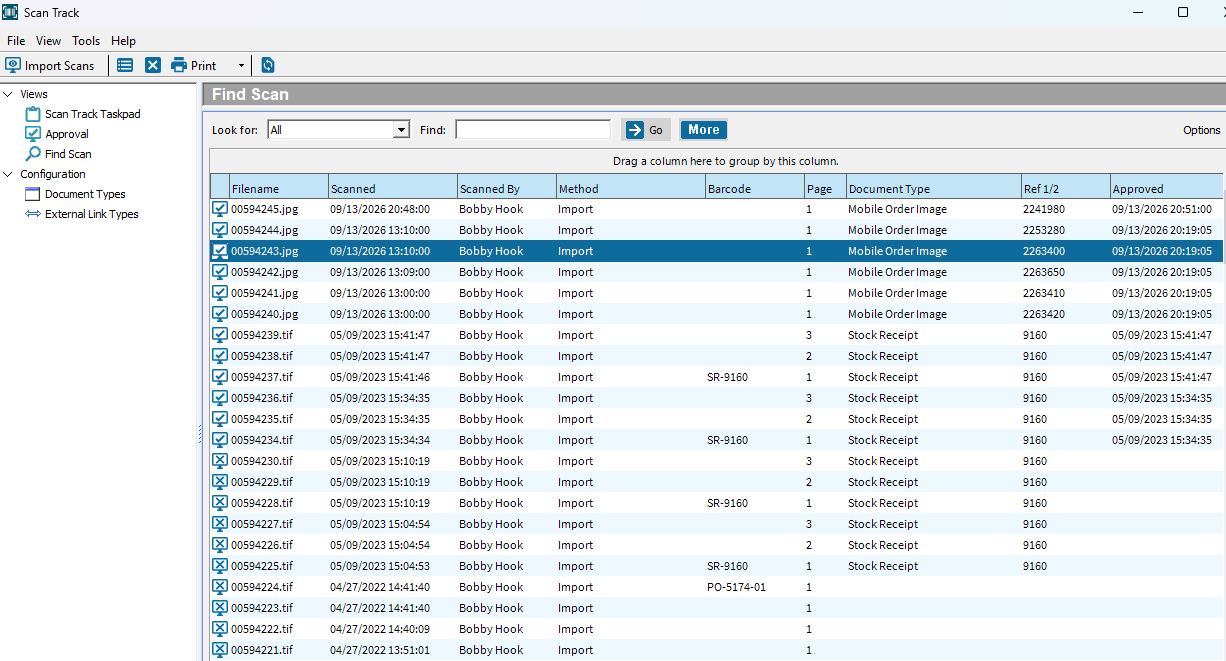
Native Scan Track Linked to the order GPS where available
BisTrack Scan Track showing delivery photographs filed against sales orders alongside ordinary scanned documents
Careful by default

It writes to your ERP. So it starts by not writing to your ERP.

Nothing is written until you say so.

A fresh install runs in shadow mode: every arrival and departure is resolved to the right journey and stop, and recorded with exactly what it would have written — but BisTrack is left alone.

Watch a week of real deliveries land on the right stops, then turn it off. The switches that change a journey's status are separate again, and off by default, because one of them fires BisTrack's own customer email.

A dropped message isn't a lost delivery.

Webhooks are the fast path, and fast paths fail — a restart, a network blip, a provider outage. Without a second route, a journey would sit at "in progress" forever, the customer would never be told, and nothing in the process would notice.

So Convoy also asks. A sweep goes back to the provider for journeys that have gone quiet past their planned finish, applies whatever it finds through the same guards, and raises a fault only when a journey is genuinely unaccounted for.

Routed as a truck, not as a car.

A route that sends a loaded flatbed down a parkway is worse than no route at all. Given a height, weight or length on the vehicle, Convoy asks Google for a large-vehicle route and avoids the restrictions that apply to it.

And when it can't — no measurement, or the provider hasn't got one — it labels the route it actually drew and tells you the one attribute to set. A car route is a nuisance; a car route labelled a truck route is a liability.

It stays in its lane.

Convoy stamps arrival and departure times on journey stops, moves a journey's status where you've allowed it, and files delivery photographs. That's the list.

It doesn't create orders, touch pricing, move stock or take payments. Everything it writes goes through BisTrack's own procedures under a service identity you nominate, so your audit trail reads the way it always has.

Part of Hook-Tech One

Convoy is licensed on its own and runs on the Hook-Tech One hub, alongside whichever other applications you own. It needs a Samsara account; it does not need you to change how you dispatch.

Build your suite Intake for BisTrack →