From an empty yard to an invoiced agreement.
Rent This! is the system of record for your fleet and your agreements. BisTrack stays the system of record for customers and finance — and the two are kept in step automatically through the agreement lifecycle, with no double entry anywhere.
Everything out, at a glance.
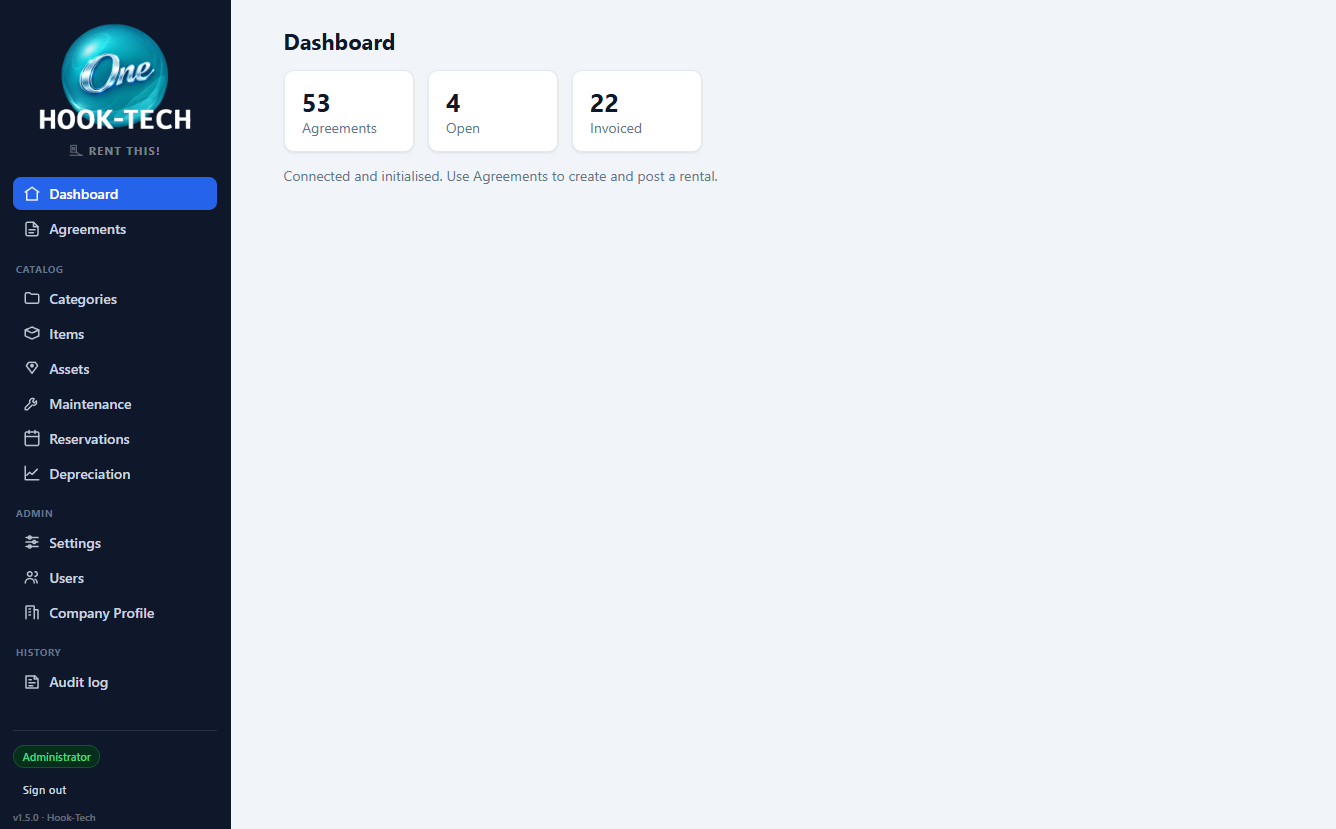
The dashboard counts total, open and invoiced agreements, and warns you if the BisTrack defaults haven't been configured yet. It's a health check — the real work happens on the pages down the sidebar.
Categories, Items and Assets build the catalog. Agreements, Reservations and Maintenance run the day. Depreciation tracks book value. Every page respects the permissions set in Hook-Tech One.
Items you rent. Assets you track.
An item is the catalog entry — "50hp tractor". An asset is one physical unit of it, with its own serial number, meter and service history. Bulk items skip the asset layer entirely and just count.
Rates hang off the item, not the asset, so every unit of the same item bills the same — by hour, day, week, four-week period or month, each with its own minimum charge and effective dates. Price changes are scheduled in advance rather than applied retroactively.
Find the customer. BisTrack already knows them.
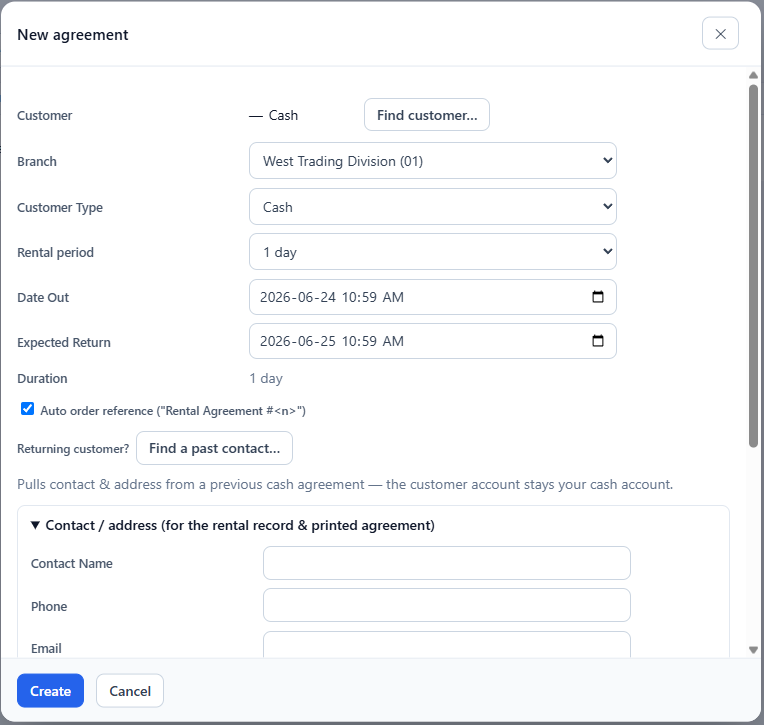
Search BisTrack by code, name, contact or phone and attach the customer to the agreement — Rent This! never duplicates the customer book.
A customer on credit hold is a red blocker and the agreement cannot be opened. A credit warning is amber and informational, so the counter decides. Cash customers can carry a default walk-in account so only the contact details need typing.
Lines, charges, payments and damage, in one place.
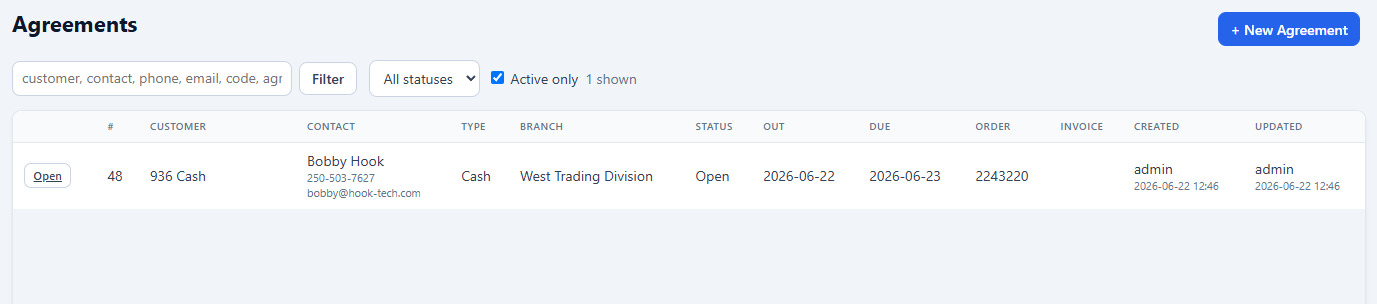
The Agreement Detail page is where the agreement is worked. Lines are the equipment: pick a serialized asset or a bulk quantity, set the period, rate and meter-out, and the asset flips to On Rent by itself.
Charges are what gets billed — a rental charge per line, plus ad-hoc damage, cleaning, fuel or adjustment charges drawn from the BisTrack manual order line types you've whitelisted. Each carries its own sync status, so a rejected charge is visible and re-sendable rather than lost.
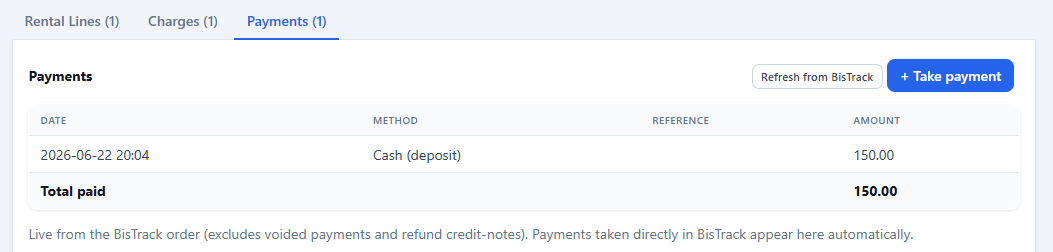
Deposits and payments, reconciled with BisTrack.
Take a deposit, a balance payment or a refund from the counter. Deposits cross to BisTrack as order payments immediately; balance payments are applied to the invoice at completion. A cash-summary line shows total billed, total paid and balance owing.
Card payments run through your existing BisTrack card machine against the rental order — then a refresh in Rent This! pulls them back so the balance is right without anyone keying it twice.
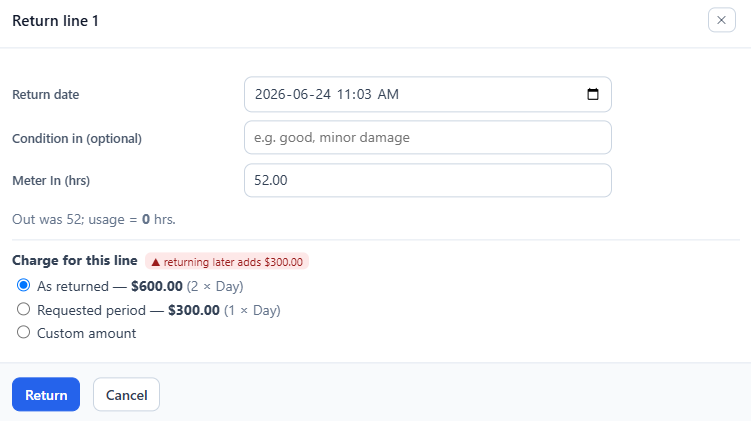
Return the line, bill the difference.
Click Return on a line and record when it came back and the meter-in reading. Then choose how it bills: As Returned for the exact period it was out, Requested Period for the term you promised regardless, or Manual if you're making a judgement call.
Record the condition at the same time and a damage report is raised against the agreement. The line becomes Returned and the asset goes back to Available automatically. Whole agreement coming back in one trip? Mark all returned.
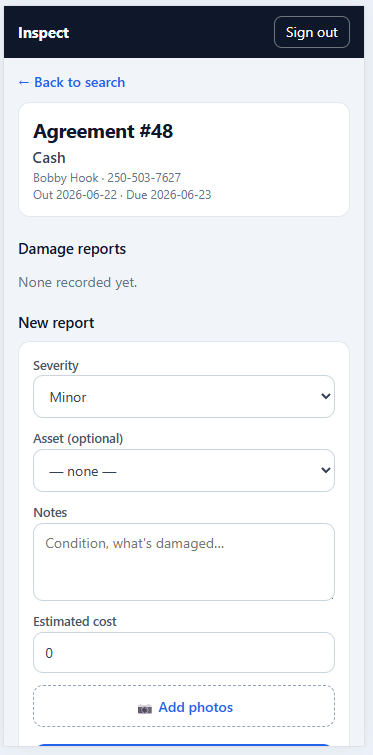
Photograph it in the yard. Bill it from the desk.
A damage report captures the description, severity, an estimated cost and as many photos as you need — taken on a phone in the yard through the Field flow, or uploaded from the desktop.
Converting a report to a charge adds a damage-type line to the agreement and links the two, so deleting the charge later puts the report back to Open. Photos are served through the app rather than by direct link, so they respect the same permissions everything else does.
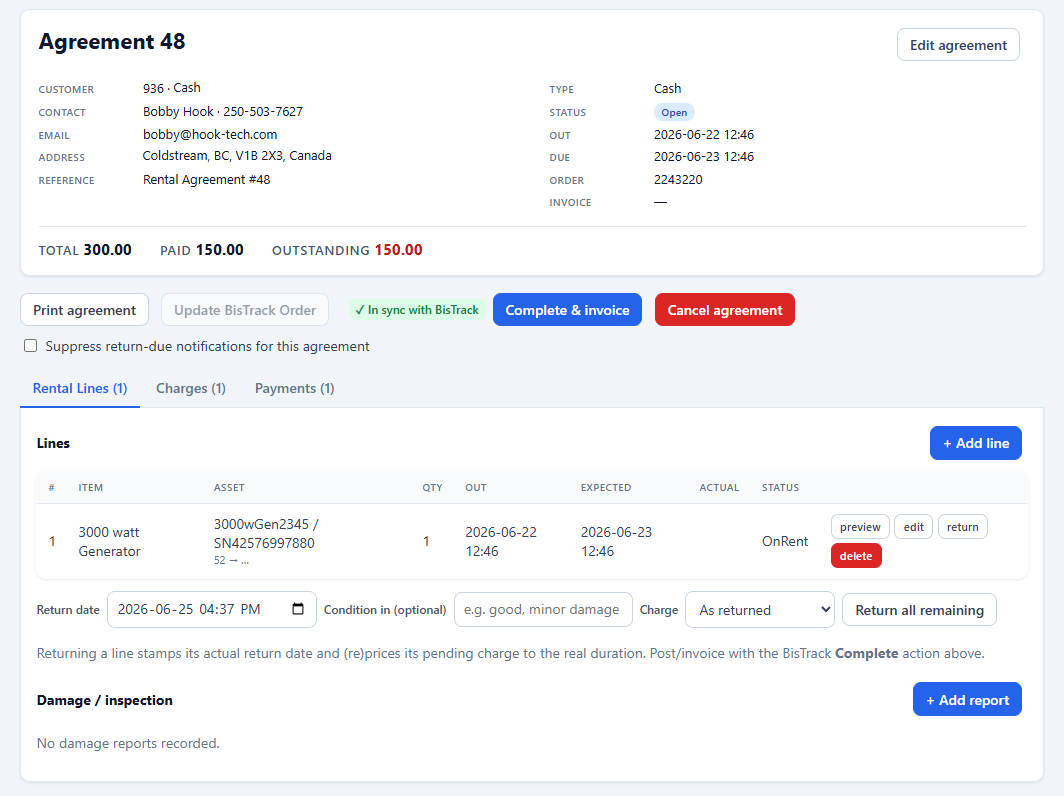
Complete once. BisTrack does the invoice.
Completion confirms nothing is still pending or failed, posts the final order update to BisTrack, calls BisTrack's own Complete operation to produce the invoice, and stores the returned invoice number back on the agreement.
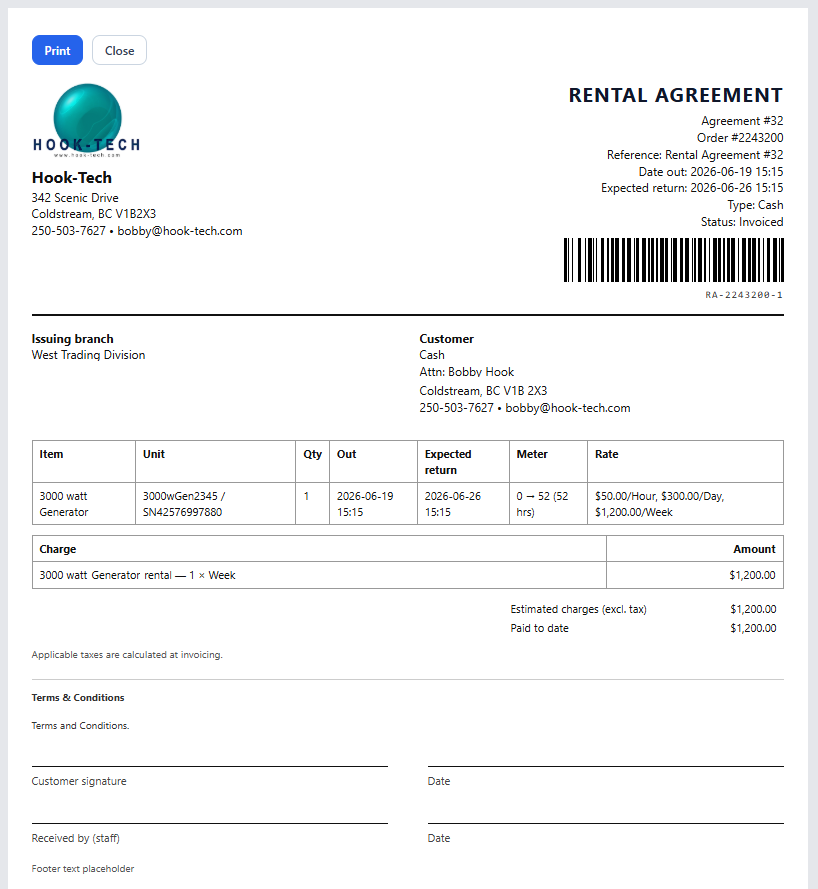
From that point the agreement is read-only in Rent This! and any further change happens in BisTrack — one place, one number, no reconciliation. Print the agreement with your company header, terms, signature lines and an optional Code 128 barcode so a signed copy can be scanned straight back to the order.